Installation
This is a general guide, written with GNU+Linux in mind first. See also the OpenBSD-specific guide.
Pre-built packages
Thanks to the help of the volunteers, whom we warmly thank, Betula is available in some software repositories. See the available versions on Repology:
If there is a package for your OS, it's most likely the best way to install Betula. Make sure you are installing the freshest available release.
For other operating systems, there are no known packages. If you know of them or want to make one, please do get in touch!
Pre-built executables
Starting with v1.7.0, we provide executable files for multiple OS/architecture combinations. You can find them on Codeberg release pages, they are linked from release pages.
Container
Starting with v1.7.0, Betula is available on Docker Hub.
docker run -p 1738:1738 -v betula-data:/data --name betula bouncepaw/betula:v1.8.0We also provide an example compose.yml file.
Manual building
This method is recommended to more advanced users. In-development versions can only be built manually.
Semiautomatic installation with go install
Run the following command. Replace latest with specific version identifiers, if you want to install an older version.
go install git.sr.ht/~bouncepaw/betula/cmd/betula@latest
It will install a betula binary in $GOPATH/bin.
NB. You cannot install version 1.0.0 this way due to a mistake made when releasing it.
NB. Pre-v1.7.0 versions required CGO_ENABLED=1.
Running
If you have your $PATH configured correctly, and betula executable is in there, you can run Betula as such:
betula links.betula
If your system does not see betula program, you might write out the full path to betula file.
To start the program, run:
./betula links.betulaFirst run
-
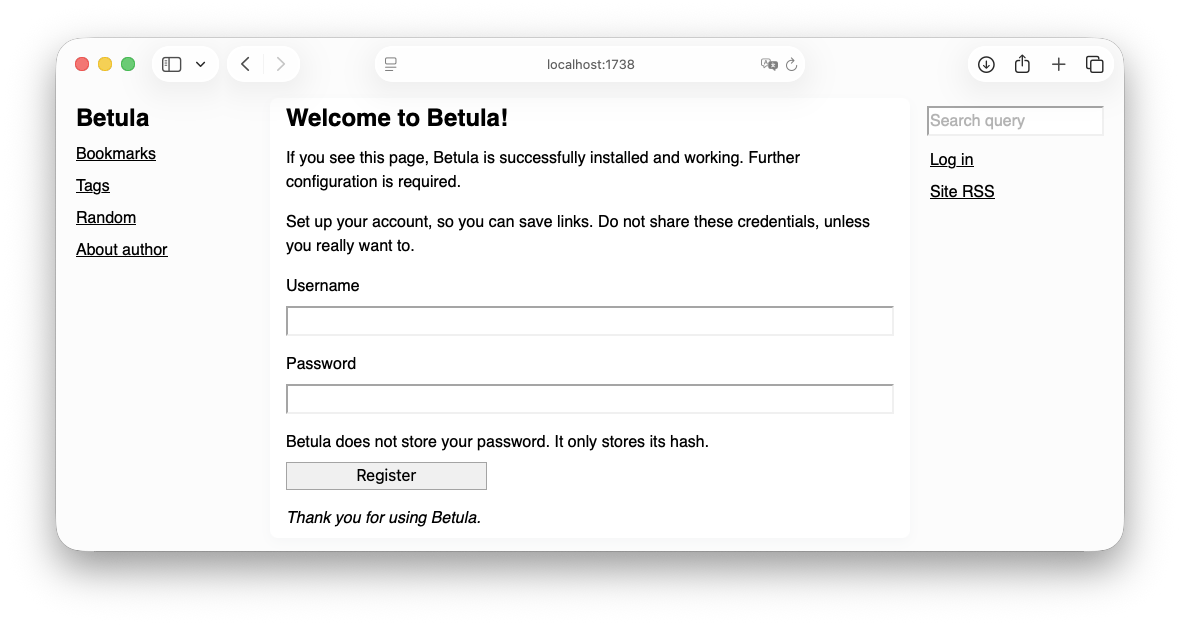
Betula is live on http://localhost:1738. Visit it.
-
Betula asks you to set up your account. Pick a username and a password. Afterwards, use it to log in to Betula.
Pick your username carefully, other betulists will see it if you enable federation, and it's hard to change it.
-
Use!
-
Make sure to configure Settings properly.
-
Do not forget to backup your
*.betulafile! This is where your data lives.
-
Next
You have a functioning Betula. You can stop here and use it forever as it is. However, if you want to have your Betula available on the internet with a domain and HTTPS, followed other people and be followed, you will need a reverse proxy.